Shape motion, not numbers
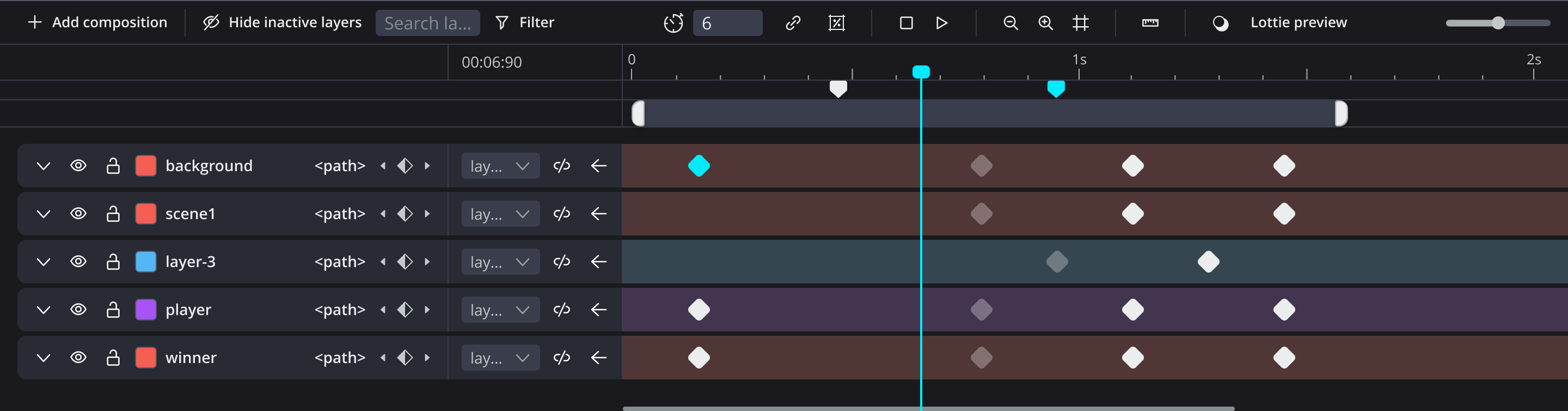
Move, rotate, scale, and skew directly on the canvas, then refine the exact property tracks on the timeline.

Design SVG animation on a visual timeline—property tracks, CSS motion paths, and stroke draw-on. Export CSS @keyframes and animated SVG the browser runs natively, so the motion loads with the page. Lottie stays optional.
Start with transforms and color. Add motion path, draw-on, per-key easing, echo trails, repeaters, and nested comps when the piece needs them. Script the repetitive parts.
Move, rotate, scale, and skew directly on the canvas, then refine the exact property tracks on the timeline.
Animate SVG line drawing visually—draw-on, erase, window, and flow—instead of measuring path length and hand-tuning dasharray.
Use global easing or per-property easing so position, opacity, and rotation can each feel right.
Draw a custom Bézier path, animate along it, and export CSS motion path with offset-path—no JavaScript path library required.
Create one motion, then repeat it, offset it, cycle it, or ping-pong it into a larger pattern.
Use linked layers and nested compositions when one timeline is no longer enough.
One timeline: CSS motion path, stroke draw-on, and repeaters—then the same animation running in the browser as plain CSS, loading with the page like any other stylesheet.
Edit SVG motion in real time, then export CSS or Lottie from the same timeline. Compare the two exports below.
SVG + CSS · Size: 11 kB
Lottie · Size: 38 kB
Ship native web motion when the browser is the destination, or export Lottie, GIF, and MP4 when a project needs another format.
.feature-mark {
  offset-path: path("M0,0 C80,-40 120,-40 160,0");
  offset-rotate: auto;
  animation: travel 1.8s linear both;
}
@keyframes travel {
  0% {
    offset-distance: 0%;
    animation-timing-function: ease-in;
  }
  100% {
    offset-distance: 100%;
  }
}A visual workflow for the parts of web animation that usually slow you down.
I’m a product designer and artist who animates occasionally. A full motion-design subscription felt hard to justify for a few icons or illustrations.
So I built Flekta: layers, keyframes, and a visual timeline in the browser. Animate your SVG and export animated SVG, CSS, or Lottie—no desktop app or export plugin needed.
An AI assistant can work on the same timeline through WebMCP. See what it creates, refine the motion, and choose your export format.
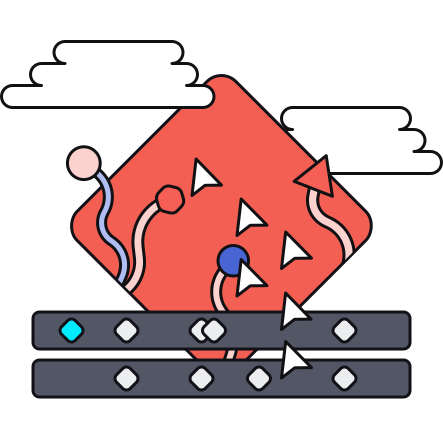
Upload an SVG, animate on the timeline, export CSS @keyframes or animated SVG your page can run as-is.
For motion designers, product designers, and engineers bringing websites, products, and client projects to life.
Turn product illustrations and feature diagrams into lightweight CSS motion that loads with the page.
Animate empty states, walkthroughs, and interface moments as SVG—ready to ship in the product.
Deliver an uploadable animated SVG, or CSS developers can inspect, tune, and keep in the repo.

Design the motion once. Export CSS or animated SVG.